
How to Program ESC Punch Settings Safely
10/10/2026
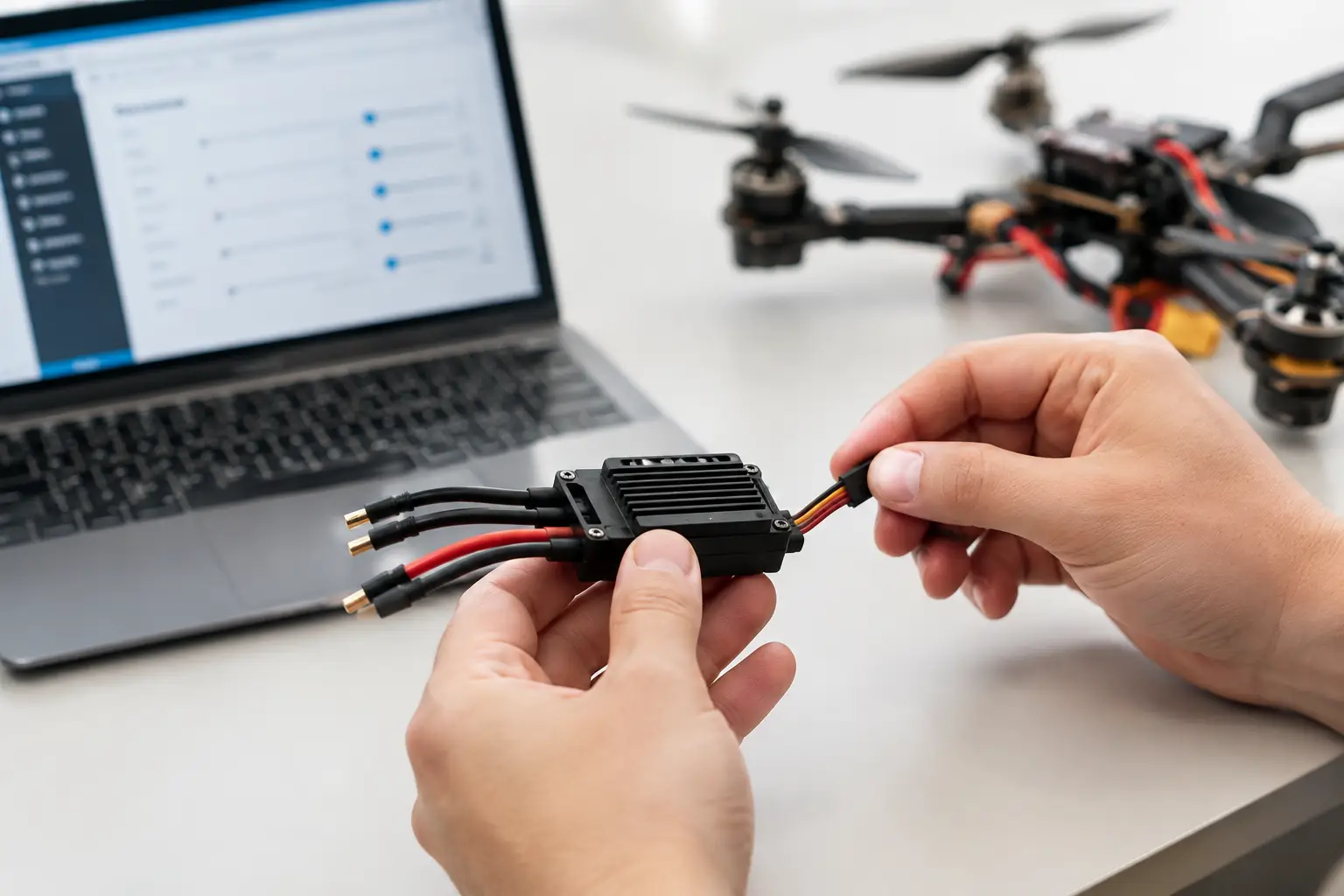
How to Program ESC Punch Settings on Your RC Car
If your RC car flips onto its roof every time you squeeze the throttle, it doesn't necessarily mean you've got too much power. Often, the electronic speed controller (ESC) is simply delivering that power too aggressively.
Learning how to program ESC punch settings can transform how your RC car drives. Whether you're trying to reduce wheelies, improve traction, protect your drivetrain or get faster acceleration, adjusting punch is one of the most useful ESC settings available.
In this guide, we'll explain what ESC punch does, how to adjust it, and how to find the right setting for your RC car, driving style and terrain.
What Are ESC Punch Settings?
ESC punch controls how aggressively your electronic speed controller delivers power when you accelerate, particularly from a standstill or at low speeds.
Depending on the manufacturer, you might see it described as:
-
Punch level
-
Start mode
-
Initial acceleration
-
Start strength
-
Throttle response
Although these settings can operate differently between ESC manufacturers, they generally influence how quickly power is delivered when you pull the throttle trigger.
Low punch settings provide smoother, more progressive acceleration. This helps reduce wheelspin, improve control and minimise sudden shock loads through the drivetrain.
High punch settings provide a sharper initial throttle response, making the vehicle accelerate more aggressively when sufficient traction is available.
However, more punch doesn't automatically mean faster acceleration.
If your tyres cannot maintain traction, increasing punch may simply create more wheelspin rather than moving your RC car forward any quicker.
Why Should You Adjust ESC Punch?
Factory ESC settings are designed to suit a broad range of users and driving conditions. They won't necessarily be ideal for your particular setup.
Adjusting punch can help with several common RC problems.
1. Reduce Excessive Wheelies
Powerful brushless RC cars, particularly 3S, 4S and 6S models, can lift their front wheels under hard acceleration.
Although wheelies can be entertaining, excessive wheelies make steering difficult and can lead to the vehicle flipping backwards.
Reducing punch softens the initial power delivery, helping the front wheels remain on the ground.
2. Improve Traction on Slippery Surfaces
Loose gravel, wet grass, dusty tarmac and muddy tracks offer significantly less traction than dry, prepared surfaces.
A high punch setting can overwhelm the tyres immediately.
Lowering punch allows power to build more progressively, helping the tyres maintain grip.
3. Reduce Drivetrain Stress
Sudden bursts of torque place considerable strain on components such as:
-
Spur and pinion gears
-
Differentials
-
Driveshafts
-
Drive cups and outdrives
-
Slipper clutches
-
Wheel hexes
Reducing punch can help minimise these shock loads, particularly on powerful brushless models.
However, it won't compensate for damaged components, incorrect gear mesh or poor maintenance.
4. Make Powerful RC Cars Easier to Control
Not everyone wants maximum acceleration every time they touch the throttle.
For newer drivers, a smoother punch setting can make a powerful RC car considerably easier to handle without necessarily restricting its maximum speed.
It's worth remembering that ESC punch adjustment is not the same as limiting maximum throttle. If you're setting up a vehicle for a younger driver, use the transmitter's throttle limiting or training mode where available.
How to Program ESC Punch Settings
The exact procedure depends on your ESC manufacturer and model.
Some ESCs can be programmed using a setup button, while others require a programming card, Bluetooth module or computer interface.
You can explore our range of ESC programming equipment and compatible accessories to find suitable options for your setup.
Step 1: Identify Your ESC
Before changing anything, identify the exact make and model of your electronic speed controller.
Common manufacturers include Hobbywing, Spektrum, Castle Creations and various RTR-specific ESC brands.
Not every ESC offers adjustable punch settings, and the programming options can vary considerably.
Always refer to the manufacturer's instructions.
Step 2: Check Your Existing Settings
Record the current punch level before making changes.
This gives you a reference point if you want to return to the original setup.
Some ESCs use numbered settings, such as levels 1–5 or 1–9, while others use percentages or named start modes.
Don't assume that a higher number always means more aggressive punch without checking the manual.
Step 3: Start With a Conservative Setting
For general bashing, start with the manufacturer's default or a low-to-medium punch setting.
If you've recently upgraded your motor, changed your gearing or moved to a higher-voltage LiPo battery, beginning with a gentler setting is particularly sensible.
Step 4: Test the Vehicle
Find a safe, open area with plenty of room.
Make several controlled launches using the same battery and driving surface.
Pay attention to:
-
Wheelspin during acceleration
-
Whether the front wheels lift
-
How smoothly the vehicle accelerates
-
Whether the vehicle pulls to one side
-
Unusual drivetrain noises
If the vehicle accelerates cleanly but feels unnecessarily sluggish, try increasing punch by one level.
Step 5: Adjust One Setting at a Time
Continue making small adjustments until you find the best balance between acceleration and traction.
If the tyres begin spinning excessively or the vehicle becomes difficult to control, reduce punch slightly.
Avoid changing motor timing, gearing and punch simultaneously. Otherwise, identifying which adjustment improved or worsened performance becomes difficult.
Best ESC Punch Settings for Different RC Cars
There isn't one perfect punch setting for every RC car.
The ideal setup depends on vehicle weight, motor power, gearing, tyre grip and the surface you're driving on.
1/10 Scale RC Buggies
Lightweight buggies often benefit from smoother initial acceleration, particularly on loose dirt or dusty tracks.
Too much punch can cause excessive wheelspin and make the rear end unstable.
Start conservatively and increase the setting as traction allows.
RC Monster Trucks and Bashers
Powerful monster trucks can produce considerable torque, especially when running 4S or 6S LiPo batteries.
High punch settings may cause excessive wheelies and increase stress on the drivetrain.
A medium or reduced setting is often a better starting point for general bashing.
RC Rock Crawlers
Crawlers require precise throttle control at very low speeds.
Aggressive punch can cause the vehicle to lurch forward, lose traction or become unstable on technical obstacles.
A smooth throttle response is normally preferable.
For more crawler advice, read our Axial RC crawler setup guide.
On-Road RC Cars
On-road vehicles running on clean, high-grip tarmac may tolerate more aggressive punch settings.
However, the best setting still depends on tyre compound, track conditions, gearing and motor temperatures.
Even on a high-grip surface, excessive punch can make the vehicle harder to drive consistently.
ESC Punch Settings for Different Driving Surfaces
| Driving surface | Suggested approach |
|---|---|
| Wet grass | Low punch |
| Loose gravel | Low to medium punch |
| Muddy ground | Low punch |
| Dry dirt track | Low to medium punch |
| Clean tarmac | Medium to high, if traction allows |
| High-grip racing circuit | Adjust progressively through testing |
| Technical rock crawling | Smooth, progressive throttle response |
These are general starting points rather than manufacturer-specific programming values.
ESC Punch vs Motor Timing vs Gearing
It's important to understand that punch, timing and gearing are three different adjustments.
ESC Punch: Primarily changes the aggressiveness of initial power delivery.
Motor Timing: Changes the electrical timing relationship within the motor system. Increasing timing can affect RPM, efficiency and operating temperature.
Gearing: Changes the mechanical relationship between motor speed and wheel speed, influencing acceleration, top speed and motor load.
If your vehicle accelerates too aggressively but runs at normal temperatures, reducing punch may help.
If the motor consistently overheats, you should investigate gearing, cooling, drivetrain resistance and timing rather than relying solely on punch adjustments.
For further information, see our guide to choosing brushless motor and ESC combinations.
Can High ESC Punch Damage Your RC Car?
Potentially, yes.
High punch settings can increase the sudden torque loads placed on the drivetrain.
This becomes particularly noticeable on powerful brushless models with heavy wheels and high-grip tyres.
Repeated aggressive launches can contribute to premature wear or failure of gears, differentials and driveshaft components.
However, a high punch setting doesn't automatically mean damage will occur. Proper gearing, correctly adjusted drivetrain components and suitable driving conditions all play an important role.
If you're repeatedly stripping gears or damaging drivetrain components, investigate the mechanical setup rather than assuming punch is the only cause.
Why Does My RC Car Hesitate When Accelerating?
Not every acceleration problem is caused by punch settings.
If your RC car hesitates, stutters or loses power when you pull the throttle, several other issues may be responsible.
Battery Voltage Sag
One common cause is voltage sag.
When you accelerate, the motor demands a substantial amount of current from the battery.
If the battery cannot maintain sufficient voltage under load, its voltage can temporarily drop.
This can cause hesitation, reduced performance or even trigger the ESC's low-voltage protection.
Increasing punch may make this problem worse because it can increase the initial current demand.
Battery condition, internal resistance, connector quality and genuine discharge capability all matter.
Our LiPo battery buying guide explains what to consider when selecting a suitable battery.
Incorrect ESC Calibration
Some ESCs require throttle calibration so they can recognise neutral, full throttle and full brake.
Incorrect calibration can cause inconsistent throttle response.
Check your ESC manual before recalibrating, as the procedure differs between manufacturers.
Incorrect Gearing
Overgearing increases the load on the motor and ESC.
If your motor struggles to accelerate the vehicle, particularly on grass or rough terrain, changing punch won't necessarily resolve the underlying problem.
Drivetrain Resistance
Binding bearings, damaged gears, overtightened components and other mechanical issues can also cause hesitation.
Always check that the drivetrain operates freely before making significant electronic adjustments.
Monitor Motor and ESC Temperatures
Whenever you change punch settings, monitor the operating temperatures of your motor and ESC.
After several acceleration runs, stop the vehicle and check for excessive heat.
An infrared thermometer can be useful for obtaining consistent measurements.
Always follow the temperature limits specified by your equipment manufacturer.
If temperatures rise significantly after increasing punch, return to a more conservative setting and investigate the cause.
Frequently Asked Questions About ESC Punch Settings
Does Increasing ESC Punch Make an RC Car Faster?
Increasing punch can improve initial acceleration when sufficient traction and battery power are available.
However, it doesn't normally increase the motor's maximum RPM or the vehicle's theoretical top speed.
Excessive punch may actually make acceleration slower if the tyres constantly spin.
What Is the Best Punch Setting for a Brushless RC Car?
There is no universal best setting.
For general bashing, a low-to-medium setting is a sensible starting point, followed by gradual adjustments based on traction and handling.
Always consult the ESC manufacturer's instructions.
Will Lowering Punch Stop My RC Car Doing Wheelies?
It can significantly reduce wheelies by softening initial acceleration.
However, wheelies are also influenced by gearing, tyre grip, weight distribution, suspension setup and throttle input.
Does Lower Punch Protect Differentials?
Lower punch can reduce sudden torque loads through the drivetrain, potentially helping to reduce wear and breakages.
However, it won't prevent damage caused by incorrect assembly, poor lubrication, worn components or unsuitable gearing.
Can I Change Punch Settings Without a Programming Card?
On some ESCs, yes.
Certain models allow programming through an onboard button and LED or audible signals.
Others require a compatible programming card, wireless module or computer interface.
Check your ESC manual for supported methods.
Is ESC Punch the Same as Throttle Limiting?
No.
Punch controls how aggressively power is delivered, while throttle limiting restricts the maximum throttle output.
If you're trying to reduce the maximum speed for a beginner or younger driver, throttle limiting is generally the more appropriate option.
Should I Increase Punch When Upgrading From 2S to 3S?
Not automatically.
Moving to a higher-voltage battery can significantly increase available performance and drivetrain loads.
Start with a conservative punch setting and confirm that the ESC, motor and vehicle are rated for the higher voltage.
Find ESC Programming Equipment at RC Model Shop UK
Getting your ESC punch settings right can make a substantial difference to how your RC car accelerates, handles and performs.
The aim isn't simply to achieve the most aggressive launch possible. It's to deliver power smoothly enough that your tyres can use it, while avoiding unnecessary strain on the drivetrain.
At RC Model Shop UK, we stock a range of RC electronics, ESCs, programming accessories, batteries and replacement parts for hobby-grade RC vehicles.
Whether you're adjusting a brushless basher, fine-tuning a racing buggy or setting up a crawler for smoother low-speed control, choosing the correct equipment is essential.
Browse ESC programming equipment and accessories at RC Model Shop UK
If you're unsure which programming card or accessory is compatible with your ESC, get in touch with our team and we'll help you identify the right option.
Written by RC Model Shop UK