
Why RC Servos Jitter and How to Fix It Safely
02/10/2026
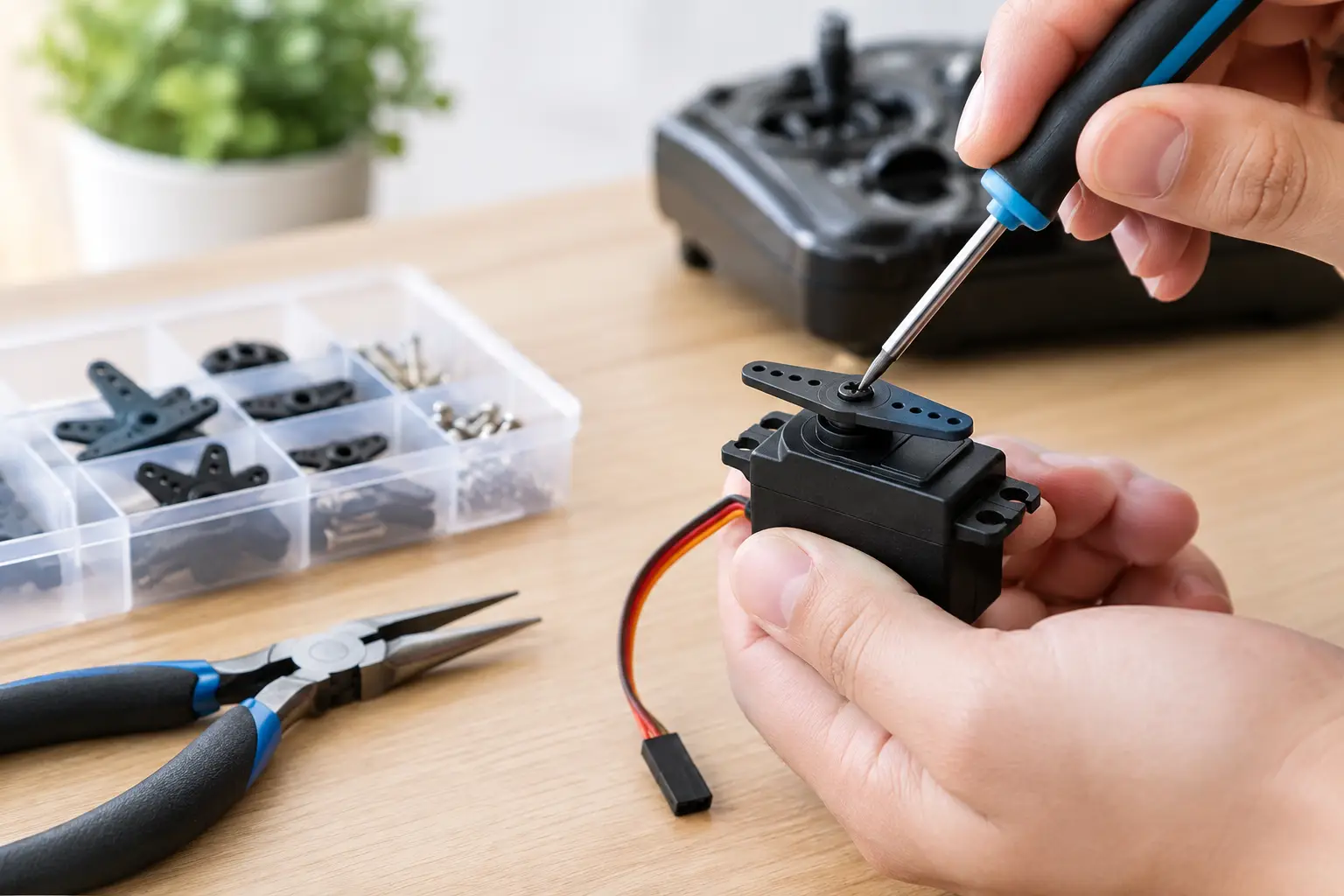
Why Do RC Servos Jitter? Causes, Fixes and Troubleshooting Guide
A steering servo that chatters, buzzes or twitches while your RC model is sitting still is more than just an annoyance. Left unresolved, servo jitter can drain the battery, make precise control difficult and put unnecessary wear on servo gears, steering components and linkages.
If you're wondering why RC servos jitter, the answer isn't always that the servo itself has failed. Problems with the power supply, radio signal, transmitter settings, steering setup or mechanical load can all cause very similar symptoms.
The quickest way to diagnose the problem is to pay attention to exactly when the jitter happens. Does it begin as soon as the receiver powers up? Does it only happen at full steering lock? Does it start when you accelerate? Or does the servo twitch continuously even with nothing connected to it?
Each of these symptoms can point towards a different cause.
What Does RC Servo Jitter Look Like?
Servo jitter is unwanted movement around the position commanded by the transmitter.
You may notice:
-
The steering twitching from side to side.
-
The servo horn making small movements while stationary.
-
A constant buzzing or chattering sound.
-
The steering struggling to hold centre.
-
The servo becoming warm or hot.
-
The receiver occasionally restarting or losing signal.
On an RC crawler, servo noise may become more noticeable when the tyres are wedged against an obstacle or the steering is under heavy load.
On a basher or speed-focused RC car, the problem might only show itself during acceleration.
In an RC aircraft, a control surface may visibly tremble even while the transmitter stick is centred.
It is worth remembering that some noise from a digital servo is completely normal. Digital servos make frequent corrections to maintain their position, particularly when they are under load.
However, a servo that is visibly moving at rest, becoming unusually hot or causing the receiver to reboot needs investigating.
Why RC Servos Jitter: Start With the Power Supply
One of the most common causes of intermittent servo problems is an unstable power supply.
A servo can draw considerably more current when changing direction or fighting against resistance than it does when sitting unloaded.
If the ESC's BEC, receiver battery, connectors or wiring cannot provide enough current cleanly, the voltage can drop.
This may result in:
-
Servo twitching.
-
Steering jitter.
-
Receiver brownouts.
-
Temporary loss of control.
-
Receiver resets.
-
Weak or inconsistent steering.
This problem can become particularly noticeable after fitting a more powerful steering servo to an RTR RC model.
A standard ESC and BEC may have been perfectly adequate for the factory servo but struggle with a high-torque replacement, particularly when combined with large tyres, heavy wheels or demanding steering geometry.
If you're looking for a replacement or upgraded servo, you can view our range of RC servos here.
Check the Battery First
Before replacing anything, make sure the battery supplying the electronics is properly charged and in good condition.
Depending on the model, problems can be caused by:
-
A low receiver battery.
-
A tired NiMH battery pack.
-
A heavily discharged LiPo.
-
Damaged battery connectors.
-
Loose plugs.
-
A faulty power switch.
-
High-resistance wiring.
On electric RC cars, make sure the main battery is properly charged and that the ESC's battery settings are correct.
A weak battery can easily make a perfectly healthy servo appear faulty.
Check the ESC BEC Rating
The BEC — Battery Eliminator Circuit — normally provides regulated power from the main battery to the receiver and servo.
When installing a more powerful servo, check both the BEC's voltage and current capability.
Modern high-performance servos may support operating voltages such as:
-
6.0V
-
7.4V
-
8.4V
However, this does not mean you should simply increase your ESC's BEC voltage.
Every device connected to the receiver must also be capable of safely operating at that voltage, including:
-
Receiver.
-
Gyro.
-
AVC or stability-control system.
-
Lighting controllers.
-
Other servos.
-
Additional electronic accessories.
Running electronics above their rated voltage can permanently damage them.
Do You Need an External BEC?
An external BEC can be useful when running a particularly powerful servo in something such as a:
-
Heavy RC crawler.
-
Large-scale RC car.
-
Powerful monster truck.
-
RC boat with demanding steering loads.
An external BEC can provide a stronger and more stable power supply to the servo.
However, an external BEC should not be used to disguise another problem.
If the steering is mechanically binding, the wiring is damaged or the servo itself is faulty, fitting a larger power supply will not solve the underlying issue.
Check for Steering Binding
Before blaming the electronics, check the mechanical side of the steering.
Disconnect the servo horn from the servo and move the steering mechanism by hand.
It should move smoothly through its entire range without:
-
Tight spots.
-
Grinding.
-
Notchy movement.
-
Excessive resistance.
-
Components springing back under tension.
If the steering feels stiff, the servo may be continuously fighting against the linkage.
What to Inspect on an RC Car
Check components including:
-
Steering bellcranks.
-
Servo saver.
-
Steering links and rod ends.
-
Suspension components.
-
Hinge pins.
-
Wheel bearings.
-
Steering hubs and knuckles.
Mud, dirt and small stones can restrict steering movement.
Bent components, overtightened screws or damaged bearings can also greatly increase the load placed on the servo.
Crawlers are particularly demanding because the tyres can generate a large amount of grip while steering at very low speeds.
When the tyres are wedged against rocks or obstacles, the steering servo can be subjected to considerable load.
Test the Servo With the Horn Removed
Once the steering linkage has been disconnected, switch the radio system back on and watch the servo.
If the jitter disappears when the servo is unloaded, the problem is more likely to be related to:
-
Steering linkage resistance.
-
Steering geometry.
-
Servo saver adjustment.
-
Endpoint settings.
-
Excessive steering load.
If the servo continues twitching with nothing connected to it, concentrate on the servo, power supply, receiver and signal system.
Incorrect Endpoint Settings Can Cause Servo Buzzing
Incorrect steering endpoints are another extremely common cause of servo buzzing and jitter.
Your transmitter may refer to these settings as:
-
EPA.
-
End Point Adjustment.
-
Travel.
-
Steering Travel.
-
Steering Rate.
If the transmitter commands the servo to travel further than the steering mechanism physically allows, the servo will continue trying to reach a position that is impossible.
The result is usually buzzing, excessive current draw and additional strain on the servo gears.
This commonly happens at full left or right steering lock.
How to Set Steering Endpoints Correctly
Start by centring the steering trim on the transmitter.
Power the receiver and allow the servo to electronically find its centre position.
Then fit the servo horn as close to square as possible.
Adjust the steering linkage where necessary before using transmitter trim for fine adjustment.
Next, slowly increase the steering endpoints until you reach the maximum usable steering angle.
The servo should not be trying to force the steering beyond its mechanical stops.
Reducing the steering angle by a tiny amount is far better than overloading the servo every time you turn.
Check AVC, Gyro and Stability Control Settings
Some RC models use electronic stability systems such as AVC or receiver-based gyros.
These systems constantly make small steering corrections.
With excessive gain, these corrections can turn into rapid steering oscillations that look almost identical to servo jitter.
If your model has a stability-control system, temporarily reduce the gain or disable it for testing.
If the jitter disappears, adjust the gain gradually until the model remains stable without the steering oscillating.
Fast digital servos can make excessive gyro gain particularly noticeable because they respond extremely quickly to every correction.
Check the Servo Lead and Receiver Connection
A damaged or loose servo lead can produce an unstable signal.
Inspect the entire servo cable from the receiver plug to the servo case.
Look for:
-
Crushed insulation.
-
Exposed wiring.
-
Broken strands.
-
Loose receiver plugs.
-
Wires pulled tightly around the chassis.
-
Damage where the cable enters the servo case.
Make sure the servo connector is fully inserted into the correct receiver channel and fitted with the correct polarity.
A connection that is only partially seated may work while the model is sitting on the workbench but fail once vibration is introduced.
Can Electrical Interference Cause Servo Jitter?
Modern 2.4GHz radio equipment is generally extremely reliable, but electrical problems elsewhere in the model can still cause unusual behaviour.
Pay particular attention if the steering only begins to twitch when the motor is running.
Possible causes include:
-
Damaged motor wiring.
-
Loose connectors.
-
Poor solder joints.
-
A failing ESC.
-
Damaged motor components.
-
Receiver power problems.
Keep receiver wiring reasonably tidy and avoid tightly wrapping servo wires around motor or ESC power cables.
If the fault only appears when applying throttle, try testing the radio and steering system with the motor disconnected where practical.
A known-good receiver, ESC or servo can also help narrow down the cause.
Water and Moisture Can Cause Servo Problems
Water ingress is another common cause of erratic electronics.
Even electronics marketed as waterproof can eventually suffer from damaged seals, corrosion or water entering through wiring.
Check:
-
Servo case seals.
-
Receiver boxes.
-
Extension leads.
-
Connectors.
-
Switches.
-
Wiring joints.
A model that worked correctly during a wet run can sometimes begin behaving strangely afterwards as moisture reaches electrical contacts.
Always allow wet models to dry thoroughly and inspect connectors for corrosion.
Salt water is particularly damaging and should be dealt with immediately.
How to Test Whether an RC Servo Is Faulty
One of the most reliable diagnostic methods is substitution.
If possible, connect a known-good servo to the same receiver channel.
Alternatively, connect the suspect servo to another compatible receiver.
If the fault follows the servo, the servo or its wiring is likely to be responsible.
If the fault remains with the receiver channel, investigate the:
-
Receiver.
-
Transmitter settings.
-
BEC.
-
Power supply.
-
Connected accessories.
Always test the model safely with the wheels or drivetrain unable to unexpectedly cause the vehicle to move.
Check the servo:
-
At centre.
-
Through its complete travel.
-
Under light steering load.
-
With and without throttle.
-
After the electronics have been operating for several minutes.
The timing of the fault can provide useful clues.
For example, a servo that works normally when cold but begins jittering after several minutes may have an internal electrical or motor problem.
Can Damaged Servo Gears Cause Jitter?
Yes.
Damaged servo gears can cause:
-
Poor centring.
-
Clicking.
-
Excessive movement at the output shaft.
-
Inconsistent steering.
-
Twitching.
-
Steering that fails to return accurately to centre.
Metal gears are stronger than plastic gears, but they can still be damaged by heavy impacts.
Check the servo horn and output shaft for excessive play.
If the steering became inaccurate immediately after a crash, damaged gears or an output bearing may be worth investigating.
Some premium servos have replacement gear sets available.
With cheaper sealed servos, replacing the complete servo may be the more practical solution.
Choosing the Right Replacement RC Servo
If the servo does need replacing, don't choose a replacement based purely on the biggest torque figure.
Check:
-
Servo dimensions.
-
Torque.
-
Speed.
-
Operating voltage.
-
Spline size and tooth count.
-
Connector compatibility.
-
Waterproofing.
-
BEC requirements.
A high-torque servo can be ideal for a 1/10 crawler with large tyres, but the same level of torque may be unnecessary in a lightweight buggy.
Extremely powerful servos can also transfer more force into steering components during crashes, potentially exposing weaknesses elsewhere in the steering system.
The servo and power supply should therefore be considered together.
A premium servo cannot produce its advertised performance if the ESC's BEC cannot provide enough power.
You can browse our range of RC servos for cars, crawlers and other RC models here.
RC Servo Jitter FAQs
Why does my RC servo twitch when sitting still?
The most common causes are an unstable power supply, steering load, incorrect endpoint settings, receiver signal problems or an internal servo fault.
A small amount of digital servo noise can be normal, but visible steering movement should be investigated.
Why does my servo jitter when I accelerate?
If the problem only happens under throttle, check the ESC, BEC, battery, motor wiring and receiver power supply.
Acceleration places a heavy load on the main battery and ESC, which can expose voltage problems that are not noticeable when the vehicle is stationary.
Why does my steering servo buzz at full lock?
The steering endpoint may be set too far.
If the servo reaches the physical steering stop before reaching the position requested by the transmitter, it will continue applying force.
Reduce the steering endpoint until the servo reaches full usable lock without straining.
Can a weak battery cause servo jitter?
Yes.
A weak or discharged battery can suffer a voltage drop when the servo demands more current.
This can cause twitching, weak steering or receiver brownouts.
Is it normal for a digital servo to buzz?
Some digital servos produce a small amount of noise while holding position because they constantly make corrections.
Constant visible movement, excessive heat or aggressive buzzing is not something that should be ignored.
Can a servo be too powerful for an ESC?
The important factor is normally the ESC's BEC rather than the main ESC motor output.
A powerful servo may draw more current than the BEC can reliably provide.
Always check the servo's current and voltage requirements against the BEC specification.
How do I know whether my servo or receiver is faulty?
Substitution is normally the easiest test.
Try a known-good servo on the same receiver channel or test the suspect servo using another compatible receiver.
If the problem follows the servo, the servo is likely responsible.
If the problem remains with the receiver channel, investigate the receiver, power supply and transmitter setup.
Can steering binding damage a servo?
Yes.
A stiff or binding steering mechanism forces the servo to work continuously and can eventually damage the motor, electronics or gears.
Always make sure the steering moves freely before replacing or upgrading the servo.
Final Checks Before Replacing Your Servo
Servo jitter can look like a major electrical problem, but many cases are caused by something relatively straightforward.
Start with the basics:
-
Fully charge the battery.
-
Check all connectors.
-
Inspect the servo wiring.
-
Disconnect the steering linkage and check for binding.
-
Centre the servo correctly.
-
Set sensible steering endpoints.
-
Test without AVC or gyro assistance.
-
Check the BEC specification.
-
Try a known-good servo where possible.
Working through these checks systematically makes it much easier to identify whether the problem is mechanical, electrical or actually inside the servo.
If you do need a replacement or are upgrading your steering system, choosing the correct servo for the weight, tyre size, steering geometry and power system of your RC model is far more important than simply choosing the highest torque figure available.
RC Model Shop UK stocks a range of RC servos suitable for different types of RC models, and our team can help you match the correct specification to your vehicle and existing electronics.
Written by RC Model Shop UK