
How to Bind Spektrum Receiver Fast
30/06/2026
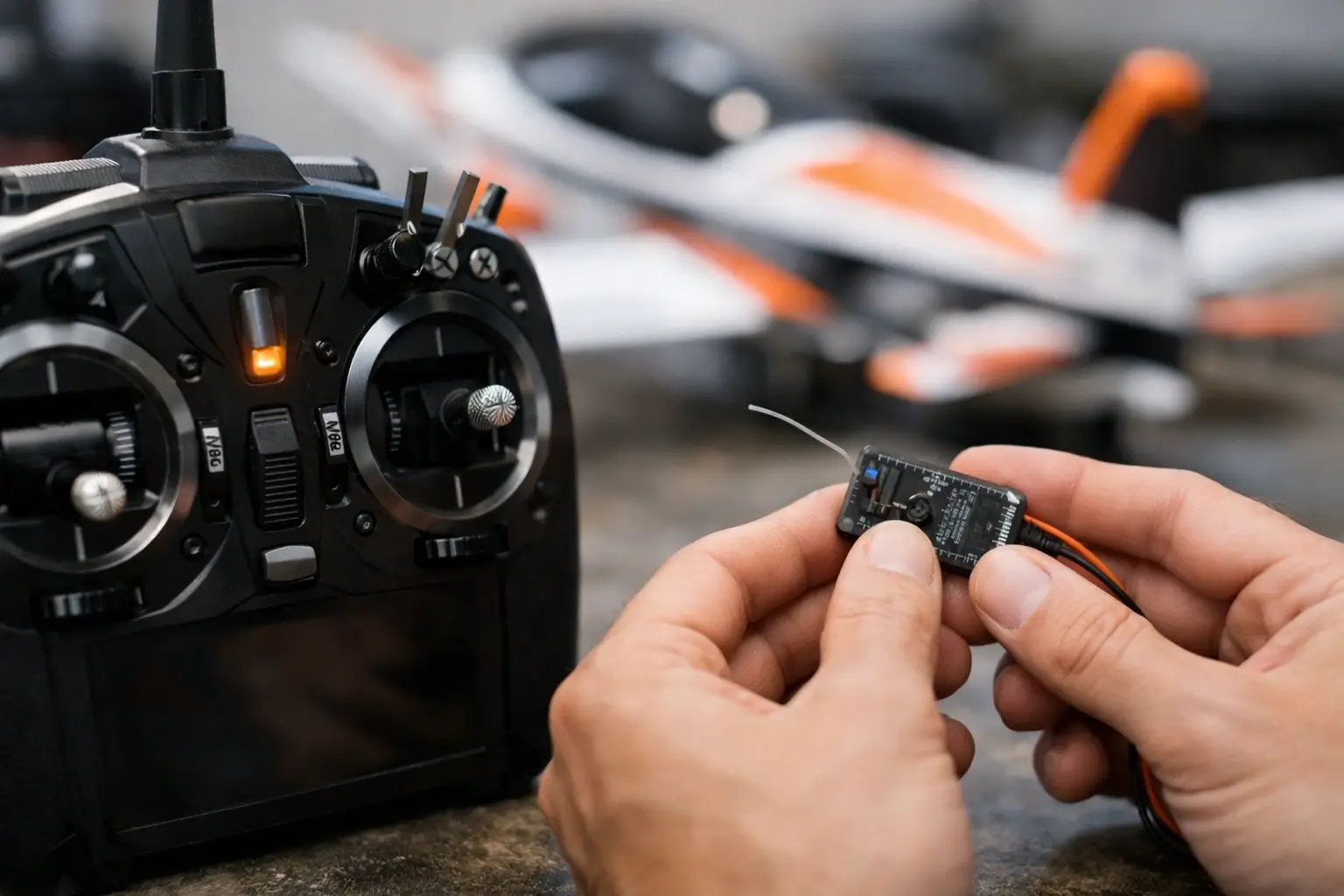
How to Bind a Spektrum Receiver – A Complete Step-by-Step Guide
Few things are more frustrating than switching on your RC model only to find the transmitter and receiver refuse to communicate. If you're wondering how to bind a Spektrum receiver, the good news is that the process is usually quick and straightforward once you know the correct sequence.
Spektrum radio systems are trusted by RC enthusiasts across cars, trucks, boats and aircraft thanks to their reliability and ease of use. Whether you're installing a brand-new receiver, replacing damaged equipment or setting up a second model, binding only takes a few minutes when everything is prepared correctly.
Browse our range of Spektrum Radio Systems:
https://www.applianceelectronics.co.uk/products/523/radio-systems?brand=843
Looking for a new transmitter? Shop our Spektrum Transmitters:
https://www.applianceelectronics.co.uk/products/402/transmitters?brand=843
What Does Binding a Spektrum Receiver Mean?
Binding is the process of pairing your Spektrum transmitter with your receiver so they recognise each other and communicate securely.
Once successfully bound, the receiver will only respond to that transmitter (or that specific model memory on compatible radios), helping prevent accidental control by another transmitter nearby.
During the binding process, many Spektrum receivers also record important failsafe settings, making it an essential part of safely setting up your model.
Before You Start
Before beginning the binding process, make sure:
-
Your transmitter battery is fully charged.
-
The receiver is installed correctly.
-
Battery connections are secure.
-
Your transmitter is switched off.
-
Your model is safe to power up.
For RC cars and boats, it's a good idea to lift the wheels clear of the bench.
For RC aircraft, always remove the propeller or disconnect the motor where possible before working on the radio system.
How to Bind a Spektrum Receiver
The exact procedure varies slightly depending on the receiver model, but the following method works for most Spektrum surface and aircraft receivers.
Step 1 – Turn Off the Transmitter
Always begin with the transmitter switched off.
This allows the receiver to enter bind mode correctly.
Step 2 – Put the Receiver into Bind Mode
Depending on the receiver, you'll either:
-
Insert the supplied bind plug into the BIND/BATT port, or
-
Hold the receiver's dedicated Bind Button while powering the receiver.
Once powered, the receiver LED should begin flashing rapidly.
A flashing LED indicates the receiver is waiting to bind.
Step 3 – Start the Transmitter in Bind Mode
Most Spektrum transmitters enter bind mode by either:
-
Holding the Bind button while switching on.
-
Holding the Trainer switch during power-up.
-
Selecting Bind from the transmitter menu.
Keep the transmitter around one to two metres from the receiver.
Oddly enough, having them touching each other can sometimes interfere with the process.
Step 4 – Wait for Confirmation
Once binding completes successfully:
-
The flashing LED becomes solid.
-
Many transmitters display a confirmation message.
-
Some radios also emit an audible tone.
This confirms communication has been established.
Step 5 – Power Cycle Everything
Turn both the receiver and transmitter off.
If your receiver uses a bind plug, remove it.
Then restart everything in the normal order:
-
Turn the transmitter on first.
-
Power the receiver second.
The receiver should reconnect automatically.
Different Spektrum Receivers Use Different Methods
Although the overall process is similar, Spektrum receivers aren't all identical.
Older DSM2 and DSMR receivers commonly use a bind plug.
Many newer receivers include a dedicated Bind button instead.
Ready-to-Run models sometimes use integrated receiver/ESC units where the manufacturer specifies a unique binding procedure.
Always check the instructions for your exact receiver if you're unsure.
Surface Receivers vs Aircraft Receivers
Surface Receivers
Binding receivers for RC cars and boats is usually very straightforward.
After binding, simply check:
-
Steering direction
-
Throttle direction
-
Brake operation
-
End points
Aircraft Receivers
Aircraft receivers require additional care.
During binding, many receivers record failsafe positions.
Before starting:
-
Set throttle exactly where required.
-
Ensure all control surfaces are centred.
-
Follow the aircraft manufacturer's recommendations.
Binding AVC Receivers
Some Spektrum receivers include AVC (Active Vehicle Control).
Binding is only part of the setup.
After binding you should also check:
-
Steering direction
-
Throttle direction
-
AVC gain settings
-
Servo reversing
-
Stability operation
If the vehicle behaves strangely after binding, AVC setup is often the cause rather than the binding itself.
Always Select the Correct Model Memory
Modern Spektrum transmitters can store dozens or even hundreds of models.
This is incredibly useful—but only if the correct model memory is selected.
Binding to the wrong memory can result in:
-
Incorrect trims
-
Servo reversing problems
-
Incorrect travel settings
-
Unexpected throttle behaviour
Before binding, double-check you're using the correct model profile.
Naming each model clearly makes life much easier later.
Stable Voltage Is Essential
Many failed bind attempts come down to poor power.
If the receiver loses voltage during binding, the process may fail or behave unpredictably.
Common causes include:
-
Flat transmitter batteries
-
Weak receiver packs
-
Poor ESC BEC output
-
Loose connectors
If you're having problems, fully charge every battery before trying again.
Common Reasons a Spektrum Receiver Won't Bind
Most problems fall into a handful of common categories.
Receiver Never Enters Bind Mode
Check:
-
Bind plug is fully inserted.
-
Correct receiver port is being used.
-
Receiver is actually receiving power.
LED Flashes but Never Goes Solid
Possible causes include:
-
Incorrect transmitter bind procedure.
-
Wrong model memory.
-
Transmitter too close to receiver.
-
Protocol incompatibility.
Receiver Powers Up but Doesn't Respond
Check:
-
Channel wiring orientation.
-
ESC connection.
-
Receiver polarity.
-
Battery voltage.
Transmitter and Receiver Aren't Compatible
Most modern Spektrum equipment uses DSMR, while some older equipment uses DSM2.
Although many systems remain compatible, not every combination works together.
Always confirm compatibility before assuming equipment is faulty.
What to Check After Binding
Successfully binding the receiver is only the beginning.
Before driving or flying, test:
-
Steering
-
Throttle
-
Brake
-
Servo direction
-
End points
-
Trims
-
Auxiliary channels
-
Telemetry (if fitted)
Aircraft pilots should also verify every control surface moves in the correct direction.
Test the Failsafe
Failsafe tells the receiver what to do if radio signal is lost.
For surface models this usually means:
-
Neutral throttle
-
Brake
-
Steering held or centred
Aircraft may require different settings depending on the receiver and installation.
Never assume failsafe is correct—always test it safely before running your model.
When Should You Rebind?
Normally, you only need to bind once.
However, rebinding is recommended if you:
-
Replace the receiver.
-
Buy a new transmitter.
-
Change failsafe settings.
-
Purchase a used RC model.
-
Experience unusual connection problems.
A quick rebind often eliminates unexplained radio issues.
Tips for Faster, Trouble-Free Binding
Following a few simple habits can prevent most problems:
-
Charge all batteries before binding.
-
Select the correct model memory.
-
Follow the exact receiver procedure.
-
Don't rush the LED sequence.
-
Keep transmitter firmware updated where applicable.
-
Label your receivers if you own several models.
Good organisation saves a surprising amount of frustration.
Final Thoughts
Learning how to bind a Spektrum receiver is one of the first skills every RC enthusiast should master. Although different receivers use slightly different methods, the overall process remains simple once you understand the sequence.
By starting with fully charged batteries, selecting the correct model memory and following the proper bind procedure for your receiver, you'll avoid the vast majority of binding problems.
If you're still struggling, identifying the exact transmitter and receiver model numbers is usually the quickest way to diagnose the issue, as it confirms whether you're dealing with a bind plug receiver, a push-button receiver, AVC setup or a compatibility problem.
Whether you race, bash, crawl, fly or sail, a correctly bound radio system gives you the confidence that your model will respond exactly as expected every time you switch it on.
Browse our full range of Spektrum Radio Systems:
https://www.applianceelectronics.co.uk/products/523/radio-systems?brand=843
Or explore our range of Spektrum Transmitters:
https://www.applianceelectronics.co.uk/products/402/transmitters?brand=843
Frequently Asked Questions
How do I know if my Spektrum receiver is in bind mode?
The receiver LED will normally flash rapidly when it has entered bind mode.
Do I need to bind my Spektrum receiver every time I use it?
No. Once successfully bound, the receiver will reconnect automatically each time you switch on the transmitter first.
Why won't my Spektrum receiver bind?
The most common causes are low battery voltage, selecting the wrong model memory, incorrect bind procedure, loose wiring or transmitter and receiver compatibility issues.
Can I bind one Spektrum transmitter to multiple receivers?
Yes. Most Spektrum transmitters can store multiple model memories, allowing you to bind different receivers to different models.
What is DSMR?
DSMR is Spektrum's 2.4GHz radio protocol used on most modern transmitters and receivers. It offers reliable communication and excellent resistance to interference.
Related Products
-
Spektrum Radio Systems
https://www.applianceelectronics.co.uk/products/523/radio-systems?brand=843 -
Spektrum Transmitters
https://www.applianceelectronics.co.uk/products/402/transmitters?brand=843
Related Articles
-
Spektrum DSMR vs DSM2 – What's the Difference?
-
How to Choose the Right RC Radio System
-
Common RC Receiver Problems and How to Fix Them
-
How to Set Up Failsafe on an RC Model
-
RC Radio Range Problems Explained
Written by the RC Model Shop Team – Passionate RC enthusiasts bringing expert advice, buying guides and hobby tips to help you get the most from your RC cars, trucks, boats and aircraft.